
Zip Archive Encrypted. Password Lost.
Accent ZIP Password Recovery finds the forgotten password. You unlock the archive.
AccentZPR works with zip/zipx archives that use classic ZIP 2.0 or WinZip AES encryption. Accelerates on NVIDIA, AMD, and Intel Arc graphics cards (GPUs).
- Classic ZIP 2.0: 24 billion passwords per second on an RTX 5070 Ti. A six-character password from letters and digits — seconds.
- WinZip AES: 10.9 million passwords per second on an RTX 5070 Ti. A positional mask and dictionary mutations cut the search by thousands of times.
- Free Download for Windows Full-speed free demo · Files never leave your computer
- Buy License
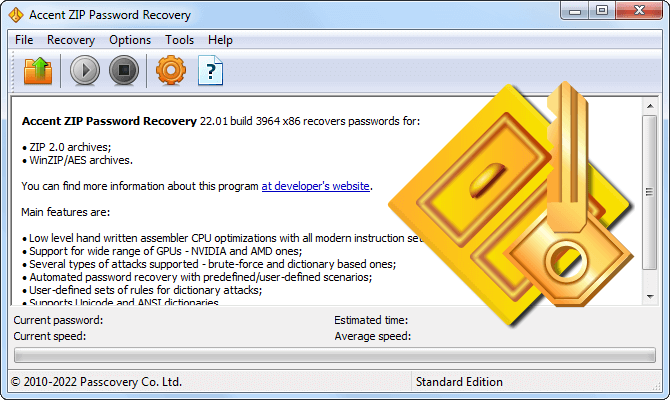
How AccentZPR Recovers Zip Passwords

Supported Formats
AccentZPR works with .zip and .zipx archives created by any archiver: WinZip, 7-Zip, PKZIP, WinRAR, and others. The encryption type depends on the archiver and its settings and determines how fast the password can be recovered.
Classic ZIP 2.0 (ZipCrypto) is found in most archives. The algorithm is weak, and brute force runs at billions of passwords per second. WinZip AES (AES-128 or AES-256 with PBKDF2 key stretching) was introduced in WinZip 9 and is used in modern archives. Brute force is slower, but GPU makes up the difference.
Some rare compression methods inside zip containers are not supported. The .7z format (7-Zip's native archives) is not supported. See the compatibility table for details.
What encryption does your archive use? Accent ZIP Password Recovery detects it automatically when you open the file.
Compatibility Table: Encryption, Compression, Recovery Methods
Password Recovery Speed on CPU
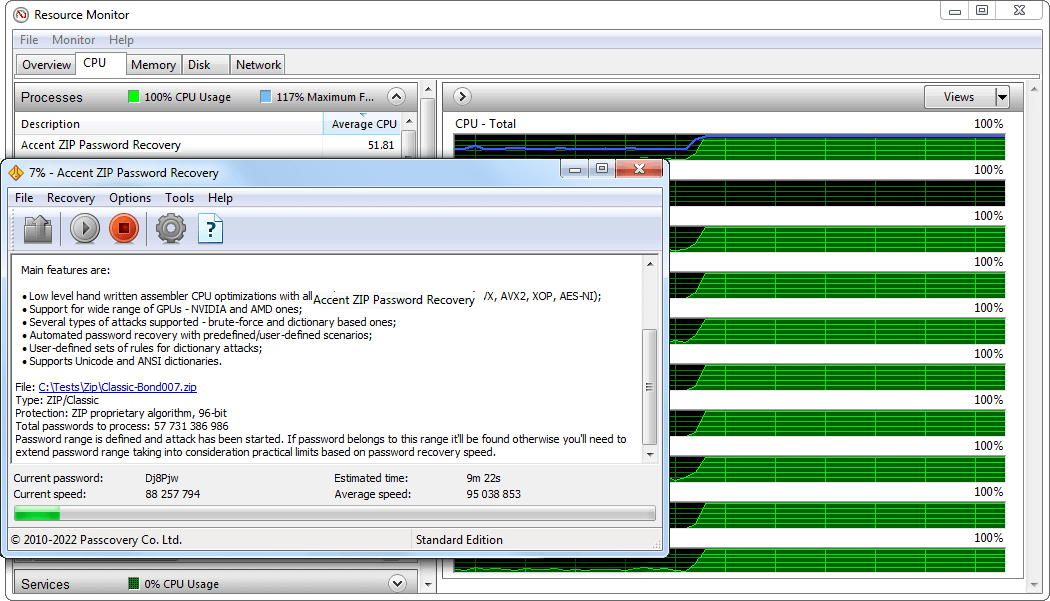
Three factors determine total recovery time: the archive's encryption type, password complexity, and processor performance. To get the most out of the CPU, performance-critical sections of AccentZPR are optimized in assembly with support for SSE, AVX, and AES-NI instructions.
For example, on a Ryzen 9 9950X AccentZPR checks 1.29 billion passwords per second for classic ZIP 2.0 and 497,000 passwords per second for WinZip AES.
What do these numbers mean? A six-character password made of letters and digits (62 characters per position) adds up to 56.8 billion combinations. On a Ryzen 9 9950X, an exhaustive search for ZIP 2.0 takes about 44 seconds. For WinZip AES — about 31 hours. That is why GPU acceleration is critical for WinZip AES.
Speed Table: 5 Processors × 2 Algorithms
GPU Acceleration: NVIDIA, AMD, Intel Arc
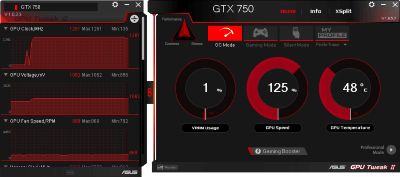
A graphics card checks passwords tens of times faster than a CPU. For example, on an NVIDIA RTX 5070 Ti AccentZPR delivers 10.9 million passwords per second for WinZip AES, while a Ryzen 9 9950X checks only 497,000. A 22× difference.
For classic ZIP 2.0 the gap is even wider: 24.3 billion on GPU versus 1.29 billion on CPU. An eight-character password that takes the processor two days to find, the graphics card recovers in two and a half hours.
AccentZPR utilizes every NVIDIA (Maxwell through Blackwell), AMD (GCN through RDNA 4), and Intel Arc (Xe, Xe2) graphics card detected in the system. Two cards double the speed, three triple it.
For comparing GPU models and choosing the right card, see the GPU rating for password recovery. For exact numbers on your specific hardware, download the AccentZPR demo.
Positional Mask for Brute Force
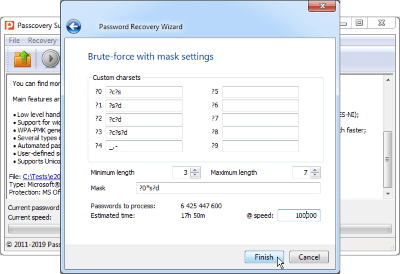
A positional mask defines the set of allowed characters for each position in the password individually. Instead of checking every possible combination, Accent ZIP Password Recovery tests only those that match the mask.
Example. An eight-character password made of letters and digits (a-z, A-Z, 0-9) adds up to 218 trillion combinations. If you know that the first four characters are lowercase letters and the last four are digits, the mask shrinks the range to 4.57 billion combinations. 47,700 times fewer. On an RTX 5070 Ti for ZIP 2.0, that search takes less than a second.
Dictionary Mutation and Blending
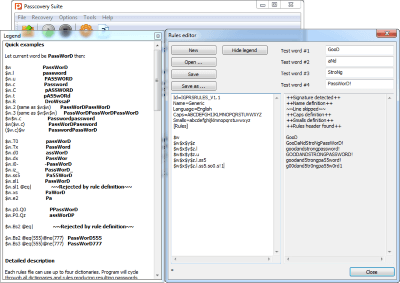
AccentZPR supports dictionary attacks with up to four dictionaries at once. Dictionaries are blended together, and password candidates are modified according to mutation rules.
Example. The words archive and 2026
from separate dictionaries combine into archive2026
and produce dozens of mutations: Archive2026,
@rchive2026, ARCHIVE2026!. The mutation
macro language supports over 20 transformation rules. The Rule
Editor displays the result of each mutation in real time, right
as you set it up.
Password Completely Forgotten: Automated Scenarios
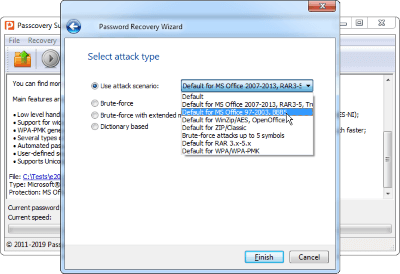
A positional mask and dictionary attack work best when at least part of the password is known. When nothing is known, AccentZPR lets you build a scenario of multiple attacks with increasing complexity. For example: a dictionary with mutations first, then a positional mask for 6 characters, then for 7 and 8. The scenario is defined in a text file, launched once, and runs to completion automatically.
All Accent ZIP Password Recovery Features
Password Recovery
- .zip and .zipx archives with classic ZIP 2.0 (ZipCrypto) and WinZip AES encryption ()
- Assembly-level optimization for Intel and AMD processors (SSE, AVX, AES-NI)
- GPU acceleration on NVIDIA, AMD, and Intel Arc graphics cards
Search Methods
- Three attack types: exhaustive brute force, positional mask, dictionary with mutations
- Scenarios: attack chains of increasing complexity, executed automatically
- Search range customization by position, length, and character set
- Support for multilingual dictionaries in UTF-8, Unicode, and ANSI
Usability and Security
- Fully offline: files never leave your computer
- Progress auto-save for resuming right where you stopped
- Windows GUI and command line for automation
- Unified interface across all Passcovery products
- Interface in eight languages
- Windows 11 / 10 x64
AccentZPR Demo
The AccentZPR installer is digitally signed by Passcovery and contains no unwanted code. The demo runs at full speed and supports every search method: brute force, positional mask, dictionary with mutations, and scenarios.
Demo Limitations
- Shows only the first 2 characters of the recovered password
- Each attack runs for up to 30 minutes
- No progress saving
- Uses only one graphics card
Remove the limitations — purchase a license and activate the software.
Accent ZIP Password Recovery Licenses
Every license includes full CPU speed and all search methods. The difference is GPU support. The more graphics cards in use, the faster the recovery.
-
BasicStandardProfessionalUltimate
-
Supporting Zip/WinZip archives
-
1 year of free updates
-
Free technical support
-
Internal corporate use
-
Support of 1 GPU device
-
Support of 2 GPU devices
-
Support of all GPU devices
-
Single PC License40$/first year*60$/first year*100$/first year*200$/first year*
Not sure which license you need? The demo shows real recovery speed on your hardware and helps you decide. Payment is secure, with online and offline options available. Full list on the order page.
Frequently Asked Questions
How Long Does It Take to Recover a Zip Password?
It depends on the encryption type, password length, and hardware. For classic ZIP 2.0 (ZipCrypto), GPU brute-force speed reaches tens of billions of passwords per second. A 6-character password (letters and digits) is found in seconds, an 8-character one in hours.
For WinZip AES, brute force is slower: millions of passwords per second on GPU. A six-character password takes hours, an eight-character one takes weeks. A positional mask and dictionary mutations cut that time by thousands if at least part of the password or its structure is known.
A random password longer than 10 characters with WinZip AES encryption is a matter of months. In such cases, recovery is not guaranteed.
Can You Open a Password-Protected Zip Without the Password?
No. There is no "remove password" button and no workaround. Zip encryption protects the contents, and without the correct password the files remain inaccessible. The only way in is to recover the password by brute force.
AccentZPR brute-forces passwords on CPU and GPU, checking billions of combinations per second for classic ZIP 2.0 and millions for WinZip AES. The software runs locally: your archive is never uploaded to any server and confidentiality is preserved.
Why Is Recovery Fast for Some Zip Files but Slow for Others?
The encryption algorithm determines the speed. Classic ZIP 2.0 (ZipCrypto) uses a weak stream cipher designed in 1993. Verifying a single password takes nanoseconds, and brute-force speed reaches tens of billions of passwords per second on a graphics card.
WinZip AES (AES-128 or AES-256 with PBKDF2 key stretching) was introduced in 2003 and resists brute force thousands of times more effectively. Each password check requires 1,000 iterations of HMAC-SHA1, slowing the search to millions of passwords per second on the same hardware.
AccentZPR detects the encryption type automatically when you open the file. You do not need to figure out the algorithm yourself.
Is It Legal to Recover a Zip File Password?
Recovering the password to your own files or to files owned by your organization is legal. A former employee left without handing over passwords to work archives, a personal archive was created years ago and the password is forgotten — AccentZPR handles both. The software is used by individual users, corporate IT departments, and forensic agencies in the course of legal proceedings.
Responsibility for how the software is used rests with the user. Terms are described in the license agreement.
Can You Remove the Password from a Zip File?
You cannot remove the password from an encrypted Zip archive directly. First you need to find the password, then extract the archive in any archiver (WinZip, 7-Zip, WinRAR) and repack the files without a password if needed.
AccentZPR handles the first and hardest step: finding the forgotten password. After that, the archive opens in whatever archiver you already use.