Why Does My GPU Get So Loud During Password Recovery?
Fan noise during password recovery is completely normal. The software pushes your CPU and GPU to 100%, generating significant heat, so your cooling system kicks into high gear. This is not a defect or malware—it's exactly how your hardware is supposed to work.
Think of a sprinter racing the 100-meter dash. They breathe hard and loud—not because something's wrong, but because they're giving it everything they've got. Your GPU works the same way: fan noise isn't a symptom of a problem—it's a sign your hardware is delivering peak performance.

Why the Noise: 100% Load = Maximum Fan Speed
Password recovery means testing billions of password combinations. This task demands full utilization of your computing resources. The more powerful your GPU and the more efficiently it leverages CUDA or OpenCL, the faster you'll find your password. And yes—it gets loud.
Here's what happens at 100% load:
- GPU/CPU generate 100 to 450 watts of heat (depending on the model)
- Chip temperatures climb to 75–85°C
- Fans ramp up to dissipate the heat
- Noise increases proportionally with fan speed
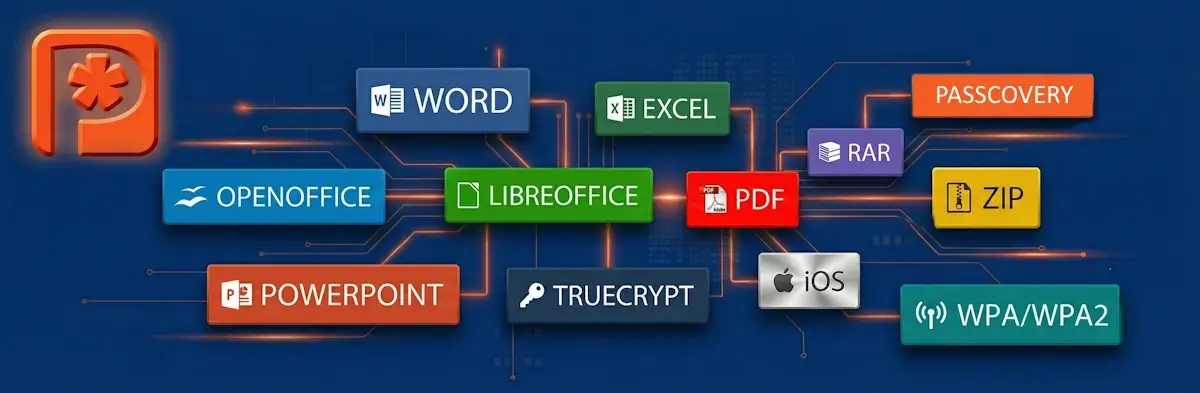
This applies to all password recovery tasks:
- Microsoft Office / OpenOffice / Adobe PDF documents
- Zip/WinZip and Rar/WinRar archives
- Apple iOS / BlackBerry OS backups
- TrueCrypt volumes
- WPA/WPA2 handshakes
The stronger the encryption algorithm (like RAR5 or Office 2019), the longer the recovery takes. For more details on working with RAR archives, check out GPU-Accelerated RAR Password Recovery.
Is This Dangerous for My Computer?
No—as long as temperatures stay within safe limits. Modern GPUs and CPUs are designed for heavy workloads and feature built-in protection called thermal throttling. When temperatures approach critical levels, the chip automatically reduces its clock speed to prevent damage.
Safe Temperatures for Extended Operation
| Zone | GPU | CPU | Action |
|---|---|---|---|
| 🟢 Normal | up to 83°C | up to 85°C | All good—keep going |
| 🟡 Elevated | 84–89°C | 86–94°C | Check cooling, clean out dust |
| 🔴 Critical | 90°C+ | 95°C+ | Stop the task, improve cooling |
These values apply to most modern NVIDIA, AMD, and Intel graphics cards supported by Passcovery products. To monitor temperatures, use the free utility HWMonitor or GPU-Z.
Does Heavy Load Affect GPU Lifespan?
Not if you maintain proper temperatures. Mining farm GPUs run at 100% load around the clock for 3–5 years. Password recovery creates similar stress, but for hours or days—not years.
Fun fact: Steady high temperatures are actually less harmful than frequent thermal cycles—rapid swings from cold to hot. One long continuous session is safer than dozens of short runs with complete cool-downs in between.
Compare GPU performance for password recovery on our NVIDIA, AMD, and Intel Arc GPU Benchmarks page.
How to Reduce Noise Without Losing Speed
You can't eliminate the noise completely—that's just physics. But you can definitely reduce it. There are two approaches: improve cooling (no speed loss) or limit fan speed (minor performance hit).

Check Your Cooling System
These steps will reduce noise without sacrificing performance:
- Clean out the dust from heatsinks and filters (use a vacuum or compressed air)
- Make sure case fans are running and unobstructed
- Check the thermal paste if your computer is 2–3+ years old
- Improve airflow: remove the side panel or add a case fan
Customize Your Fan Curve
Want less noise at the cost of slightly slower recovery? Use MSI Afterburner. This free utility lets you:
- Set a custom fan curve
- Cap maximum fan speed (e.g., at 70%)
- Monitor temperatures in real time
Reducing fan speed to 70–80% can cut noise by 30–40%, but temperatures will rise by 5–10°C. Make sure your GPU stays below 83°C.
Expert Tip: Noise Beats Overheating
"In 15 years of developing password recovery software, I've seen thousands of configurations. The golden rule: it's better to have noise than overheating. If you want quiet, dial back fan speed in MSI Afterburner—but keep your GPU below 83°C. You might lose 5–10% speed, but you'll save both your nerves and your hardware."
– Denis Gladysh, CEO of Passcovery
Can I Leave It Running Overnight Unattended?
Yes—if your GPU temperature under load stays at or below 80–83°C. Passcovery Suite is built for long-running tasks: automatic progress saving, recovery after power outages, and logging. If your computer shuts down, your progress won't be lost.
For monitoring, leave HWMonitor running with logging enabled. Check the maximum values in the morning—they shouldn't exceed 85°C.
Ready to Start Recovering?
We offer dedicated GPU-accelerated tools for each format: password recovery for Microsoft Office/OpenOffice, PDF, RAR, ZIP, Apple iOS, TrueCrypt, and more. The demo is free—test the performance on your own hardware.
Frequently Asked Questions
Up to 83°C is safe for most graphics cards.
This is normal operating temperature under load. Modern GPUs automatically reduce clock speed (thermal throttling) as they approach critical temperatures—it's virtually impossible to damage the chip through overheating.
Partially—yes.
Cleaning out dust and improving case airflow will reduce noise without affecting speed. Lowering fan speed through MSI Afterburner will cut noise but increase recovery time by 5–15%.
Not at temperatures up to 83°C.
Mining farm GPUs run like this for years. In fact, steady high load is less harmful than frequent thermal cycles—rapid temperature swings from cold to hot.
Yes—if your GPU temperature doesn't exceed 83°C.
Set up HWMonitor with logging to keep track. Passcovery automatically saves progress—if your computer shuts down, recovery will resume from the last checkpoint.
Coil whine is a high-frequency noise from inductors under load.
It's annoying to hear but completely harmless. It doesn't affect performance or GPU lifespan. It's a quirk of a particular graphics card unit—not a defect.

Author: Denis Gladysh,
Co-owner and Head of Passcovery. Passcovery is a provider of high-speed
GPU-accelerated software solutions for recovering passwords for popular file formats. Denis is the author of the first versions of
Accent OFFICE Password Recovery, created in 1999.


