Excel Password Recovery Tools: Unlock & Crack XLS, XLSX, Microsoft 365
“Great product. Saved me 5 hours from rebuilding the spreadsheet. Easy to use. Highly recommend.”
– Accent EXCEL Password Recovery user review
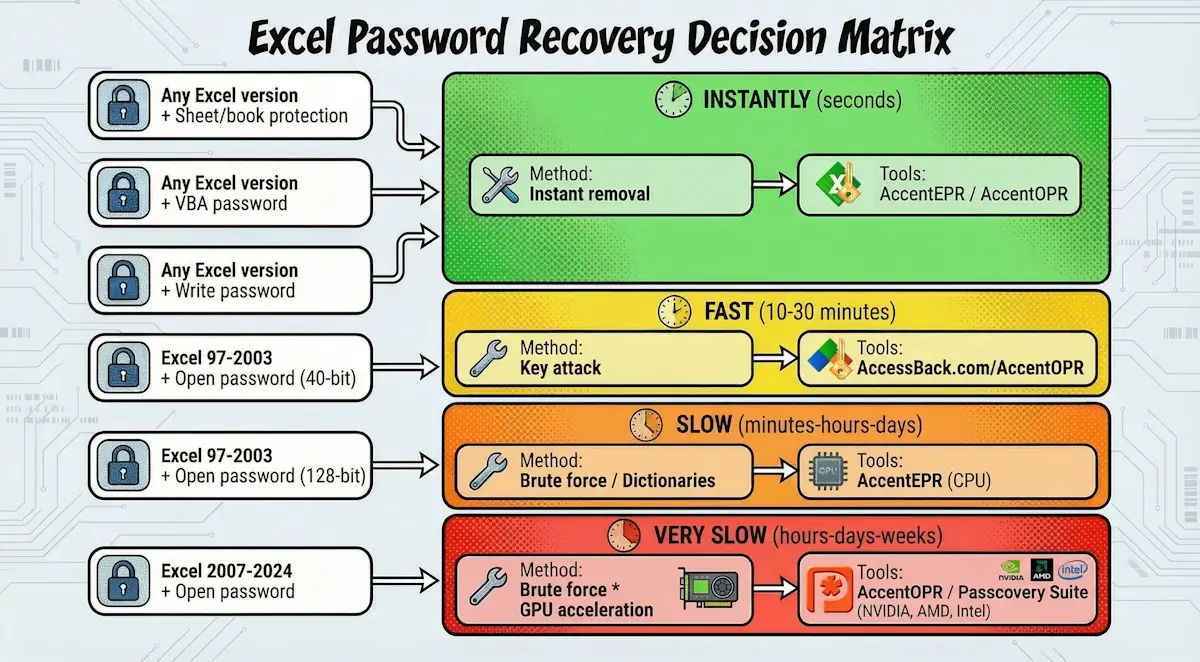
The file version and protection type determine the Excel password recovery method, not always the password complexity itself. Worksheet or VBA protection is removed instantly. Excel 97-2003 files are decrypted without the password, while Excel 2007-2024 may require days or weeks of brute-forcing.
Passcovery offers four solutions:
- Accent EXCEL Password Recovery works exclusively with Excel.
- Accent OFFICE Password Recovery adds GPU acceleration, key search, and support for other Microsoft Office and OpenOffice formats.
- Passcovery Suite additionally covers archives, PDF, and other formats.
- AccessBack.com decrypts 40-bit .xls/.doc/.pdf files online.
Below, I'll explain how to choose the right solution for your case and why different Excel protection types require different approaches.
Excel Protection Types: Why "One Method for All" Doesn't Work
Three Excel protection mechanisms require different approaches to regain access to password-protected data . Understanding the differences determines whether you'll spend a minute or a month.
| Protection Type | Technology | Recovery Time | Method |
|---|---|---|---|
| Password to Open | RC4 / AES full-file encryption | Minutes to weeks (depending on password complexity and Excel version) | Password brute-force / Key search |
| Password to Modify | 16-bit password checksum | Instant | Instant recovery / Protection removal |
| Worksheet/Workbook Protection | 16-bit XOR obfuscation | Instant | Collision password recovery / Removal without password |
| VBA Password (Macro Protection) |
XOR obfuscation (DPB / PROJECTwm/lws) | Instant | Removal without password |
Password to Open – The Strongest Barrier
Password to Open encrypts the entire file using RC4 or AES algorithms, blocking access until the correct password is entered. This is the only protection type where Excel applies cryptography. The file is stored encrypted, and without the key (derived from the password), the data looks like random bytes.
Microsoft uses different strength algorithms depending on the version. Excel 97-2003 used RC4 stream cipher with a 40-bit or 128-bit key. Excel 2007-2010 switched to AES-128 block cipher. Excel 2013-2024 uses AES-256 with 100,000 hashing iterations – each brute-force attempt requires 100,000 operations, dramatically slowing password cracking.
Worksheet and Workbook Protection – Weak Protection with Instant Removal
Worksheet protection uses 16-bit XOR obfuscation of a verifier (password checksum) instead of encryption. This is not confidentiality protection, but protection against accidental changes. Data is stored in plain view; the "protection" merely restricts access through Excel's interface.
Any recovery software removes this protection instantly. Password length doesn't matter – a 100-character password with special characters is removed just as quickly as a simple "123".
VBA Password – Macro Protection with the Same Vulnerability
VBA passwords protect macro source code and use XOR obfuscation like worksheet protection. Instead of the password itself, a 16-bit hash is stored – so short that different passwords produce the same result (collision).
Recovery software finds a collision password – the first match, which likely differs from the original. The found password removes the protection, even though you originally used a completely different one. Recovery takes seconds.

Three Excel Password Recovery Scenarios
All recovery cases fall into three time-based categories:
- instant
- fast
- slow
The category is determined by the combination of protection type and Excel version. Password complexity doesn't always matter.
Category 1: Instant Solution (worksheet, modify, VBA passwords)
Worksheet, modify, and VBA password protection is removed instantly – they use XOR obfuscation instead of encryption. This is the most common case: about 70% of requests involve worksheet protection.
All Passcovery products work: Accent EXCEL Password Recovery, Accent OFFICE Password Recovery, Passcovery Suite. They remove protection in seconds regardless of password length and Excel version.
Expert Tip:
"If you need to remove .xlsx worksheet protection, you can try doing it without software. Rename the file to .zip, extract the contents, openxl/worksheets/sheet1.xmlin a text editor, and delete the<sheetProtection>tag. Save, repack into .zip, rename to .xlsx. See a detailed breakdown of the ZIP method."
— Denis Gladysh, head of Passcovery
Category 2: Fast Recovery (Excel 97-2003 with 40-bit key)
Excel 97-2003 files with a 40-bit key are decrypted without password brute-forcing – the software attacks the key itself. Instead of trying password variants, it checks the entire key space: 240 combinations (about 1.1 trillion variants).
Analogy: a steel door with a combination lock, but on weak hinges. You could spend days guessing the code, or you could drill out the hinges. The 40-bit key is those hinges. The computer "drills them out" in finite time, the file opens, though the password remains unknown.

Two solutions for this category: AccessBack.com (online service using Passcovery's rainbow tables) or Accent OFFICE Password Recovery (desktop with key search). Password complexity doesn't matter – a 20-character password with special characters decrypts just as fast as "12345".
Category 3: Long Brute-Force (Excel 2007-2024, strong encryption)
Excel 2007-2024 files with Password to Open are protected by AES – a block algorithm that cannot be cracked directly. A 128 or 256-bit key gives 2128 or 2256 combinations that can't be exhausted. The only way: brute-force the password itself .
Brute-force complexity grows exponentially: each character increases the search space by 62-95 times depending on the character set. A 7-character mixed password creates trillions of combinations and can't be recovered in reasonable time by straight brute-force due to speed limitations.
Office 2013+ adds a barrier: 100,000 hashing iterations per candidate. Even a powerful GPU only manages 12-13 thousand attempts per second, or about 43 million per hour. Sounds like a lot, but against quadrillions of variants, it's a drop in the ocean.
Here GPU acceleration is critical, providing gains of tens of times over CPU. Use Accent OFFICE Password Recovery or Passcovery Suite: both support NVIDIA (CUDA) and AMD/Intel (OpenCL). AccentEPR won't work here – without GPU, brute-forcing stretches tens of times longer.
Engineering Nuances: Why length is critical
Search space math: An 8-character password (a-z, A-Z, 0-9 – 62 variants per position) gives 628 ≈ 218 trillion combinations. A ninth character increases the space to 13.5 quadrillion, 62 times more. At 13,000 passwords/sec, a GPU would need 532 years for a complete search of this range.
Password stretching: 100,000 SHA-1 iterations in Office 2013-2024 slow each attempt by roughly 15x compared to Office 2007. For Office 2007, a GPU would check 186,000 passwords/sec, but for Office 2013+ only 13,000. Brute-forcing complex passwords becomes pointless; you need to narrow the search range.
Realistic boundaries: passwords up to 6-7 characters (digits or lowercase) recover in hours to days. 8 characters with mixed case – weeks or months. 9+ characters with special symbols are beyond brute-force even for supercomputers.
Expert Tip:
"A Password to Open longer than 6 characters with mixed case and special characters (full 96-character set) can't be brute-forced directly. The only way is to narrow the range: in Passcovery solutions, this means dictionary attacks with mutations (if the password is word-based) or extended mask attacks (if you remember part of the password or its structure)."
– Denis Gladysh, Passcovery Director
Decision Matrix: Which Method for Your Case?
The recovery method is determined by the combination of Excel version and protection type. The matrix below helps choose the right solution.
| Excel Version | Protection Type | Optimal Method | Time | Passcovery Tool |
|---|---|---|---|---|
| Any | Worksheet/Workbook Protection | Instant removal | Seconds | AccentEPR / AccentOPR |
| Any | VBA Password | Instant removal | Seconds | AccentEPR / AccentOPR |
| Any | Password to Modify | Instant removal | Seconds | AccentEPR / AccentOPR |
| Excel 97-2003 | Password to Open (40-bit) | Key attack | 5-15 minutes | AccessBack.com |
| Excel 97-2003 | Password to Open (128-bit) | Brute-force / Dictionaries | Hours-days | AccentEPR (CPU) |
| Excel 2007-2024 | Password to Open | (Brute-force / Dictionaries) + GPU acceleration | Days-weeks | AccentOPR / Passcovery Suite with NVIDIA, AMD, Intel support |
GPU Acceleration: When Graphics Cards Are Critical, and When They're Useless
GPU acceleration increases brute-force speed by tens of times for Excel 2007-2024, but is useless for Excel 97-2003 and worksheet protection. This knowledge will save you money and time.
The graphics card uses thousands of its cores for parallel password candidate hashing. But the advantage only shows when the algorithm supports parallel processing (for Excel, that's block encryption in Excel 2007 and later).
| Scenario | CPU (Intel Core i5-12400F) | GPU (NVIDIA GeForce RTX 4060) | Speed Gain |
|---|---|---|---|
| Excel 97-2003 (40-bit key) | 7-12 hours | Not supported | No difference |
| Excel 2007-2010 (AES-128) | 5,200 passwords/sec | 186,000 passwords/sec | 35x faster |
| Excel 2013-2024 (AES-256, 100k iterations) | 540 passwords/sec | 13,500 passwords/sec | 25x faster |
| Worksheet / VBA Protection | Instant | Not supported | No difference |
GPU is critical for Excel 2007-2024: if the password is short or you know its structure, you'll get results in hours, not weeks. For Excel 97-2003, GPU is useless: both password and key attacks run on CPU only. Same for worksheet protection – XOR obfuscation is removed instantly without a graphics card.
Expert Tip
"Choosing between AccentEPR (CPU) and AccentOPR/Passcovery Suite (CPU + GPU)? The decision depends on Excel version and protection type. For files other than Excel 2007-2024 with Password to Open, GPU provides no advantage. But for Excel 2007-2024, a graphics card cuts search time by tens of times: GPU can turn weeks into hours."
– Denis Gladysh, Passcovery Director
Passcovery Products for Excel Password Recovery
Four solutions for different scenarios: AccentEPR for basic tasks, AccentOPR for GPU acceleration, Passcovery Suite for complex cases, AccessBack.com for online decryption. The choice depends on file type and confidentiality requirements.
Passcovery Product Comparison: What to Choose for Your Task
| Criteria | AccentEPR | AccentOPR | Passcovery Suite | AccessBack.com |
|---|---|---|---|---|
| Formats | Excel only | Office + OpenOffice | 10+ formats | Excel 97-2003 only |
| GPU Acceleration | No | Yes (CUDA, OpenCL) | Yes (CUDA, OpenCL) | No |
| Key Attack (Excel 97-2003) | No | Yes | Yes/Rainbow tables | Rainbow tables (online) |
| Confidentiality | 100% local | 100% local | 100% local | Server upload |
| Speed for Excel 2007-2024 | CPU (slow) | GPU (fast) | GPU (fast) | Not supported |
| Price | Low | Medium | High | Pay per result |
| Best Choice For | Worksheet protection, simple passwords, Excel 6-2003 | Excel 2007-2024 (GPU acceleration) | Excel and other formats in one product | Old .xls files with 40-bit key |
Accent EXCEL Password Recovery – Excel Specialist
AccentEPR works exclusively with Excel: three attack types for Password to Open and instant removal of worksheet protection. Perfect when you need a focused solution without extras.
Pros:
- All Excel versions (2-2024)
- Instant removal of worksheet, VBA, Password to Modify protection
- Brute-force, mask attack, dictionary attack
- Flexible search range narrowing
- Low price for one-time tasks
Cons:
- No GPU acceleration for Excel 2007-2024
- No key search for Excel 97-2003 with 40-bit encryption
When optimal: removing worksheet/edit/VBA protection or recovering Excel 97-2003 passwords on CPU. For Excel 2007+ with short passwords, CPU can also handle it in reasonable time.
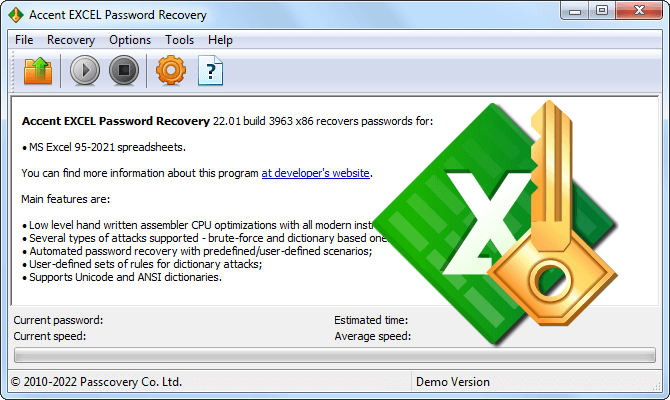
Accent EXCEL Password Recovery
for Microsoft Excel 2-2024
Accent OFFICE Password Recovery – GPU Power for Office
AccentOPR adds GPU acceleration for Excel 2007-2024 and support for other Office, OpenOffice, LibreOffice formats. Brute-force speed increases by tens of times. Optimal for regular work with password-protected Office documents.
Key Advantages:
- GPU acceleration on NVIDIA, AMD, Intel – tens of times speed gain for Excel 2007-2024
- Key search for guaranteed Excel 97-2003 (40-bit) decryption
- All Microsoft Office and OpenOffice/LibreOffice formats
- Three attack types: brute-force, mask and positional mask, dictionaries with mutations
When optimal: Excel 2007-2024 with Password to Open and maximum speed needed. Or working with various Microsoft Office or OpenOffice formats and need a universal tool.
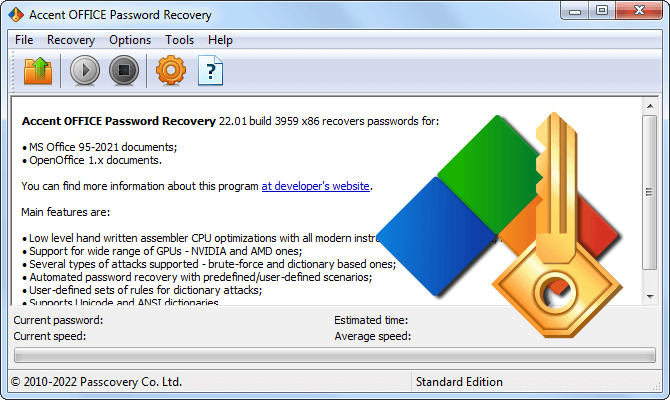
Accent OFFICE Password Recovery
for Microsoft Office and OpenOffice/LibreOffice; GPU acceleration on NVIDIA, AMD, Intel
Passcovery Suite – Universal Corporate Solution
Passcovery Suite recovers passwords for 10+ formats through a unified interface with GPU acceleration. Beyond Office – archives (ZIP, RAR), PDF, iOS and BlackBerry backups, TrueCrypt volumes, WPA/WPA2 handshakes.
When optimal: you're an IT professional regularly working with password-protected files of various formats. One license instead of multiple separate programs – cheaper per format.
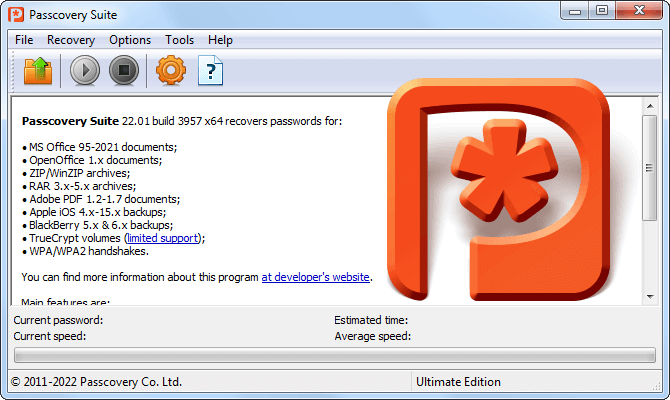
Passcovery Suite
for Microsoft Office/OpenOffice/Adobe PDF documents, Zip/RAR archives, Apple iOS and BlackBerry OS backups, TrueCrypt volumes, WPA/WPA2 handshakes; accelerated on NVIDIA, AMD, Intel GPUs
AccessBack.com – Online Excel 97-2003 Decryption
AccessBack.com decrypts Excel 97-2003 with 40-bit keys online using Passcovery's proprietary rainbow tables. No software installation required, but the file is uploaded to a server.
Advantages:
- Works through browser on any device
- Fast decryption regardless of password complexity
- Pay only for results
Limitations:
- Excel 97-2003 (.xls) with 40-bit key only
- Third-party server upload – risk for confidential data
- Not suitable for files with critical information
When optimal: old .xls file, data isn't confidential, need results without installing software. Or you're on Mac/Linux without Windows access.

AccessBack.com
for Microsoft Excel/Word 97-2003, Adobe PDF 1.1-1.3
⚠️ Legal and Ethical Framework:
Password recovery software is legal only for your own files or corporate documents with employer authorization. Any other use violates computer security laws. IT departments should document the process and obtain written legal approval – especially for former employees' files.
BE CAREFUL: Uploading corporate data to online services may violate GDPR and internal security policies.

Author: Denis Gladysh,
Co-owner and Head of Passcovery. Passcovery is a provider of high-speed
GPU-accelerated software solutions for recovering passwords for popular file formats. Denis is the author of the first versions of
Accent OFFICE Password Recovery, created in 1999.


Frequently Asked Questions About Password Recovery
Excel 2024 password recovery takes minutes to centuries – time grows exponentially with each character. Examples for RTX 4060 GPU (~13,500 passwords/sec):
- "123456" (6 digits, 1 million variants) – 90 seconds
- "gibson" (6 lowercase letters, 308 million variants) – 6 hours
- "Gibson" (6 characters, mixed case, 20 billion variants) – 17 days
- "Gibson1!" (8 characters, all types, 7+ quadrillion) – 17,000 years
Knowing the password structure cuts time by thousands of times. Remember the structure or parts of the password – use positional mask attack. Password is word-based with possible substitutions (P@ssword, Passw0rd) – dictionary attack with mutations will find it in hours.
Risk is elevated. Online services require uploading your file to a third-party server – this is always a risk for corporate and financial data. Even if the service promises file deletion, there's no way to verify it.
For personal files without critical information, the risk is acceptable. For corporate documents, use desktop software with local processing. The cost of downtime without file access often exceeds the price of AccentOPR or Passcovery Suite, making local solutions economically advantageous.
AccentEPR works with Excel only on CPU. AccentOPR supports all Office and OpenOffice/LibreOffice formats, accelerates on GPU (NVIDIA, AMD, Intel), and decrypts Excel 97-2003 through key search.
| Feature | AccentEPR | AccentOPR |
|---|---|---|
| Formats | Excel only | Excel, Word, PowerPoint, Access, Outlook, OpenOffice |
| GPU Acceleration | No (CPU only) | Yes (NVIDIA, AMD, Intel) |
| Key Attack (Excel 97-2003) | No | Yes |
| Speed for Excel 2007-2024 | 540-5,200 p/sec (CPU Core i5-12400F) | 13,500-186,000 p/sec (GPU RTX 4060) |
| Price | Lower | Higher |
AccentEPR – for worksheet protection or CPU brute-forcing. AccentOPR – for Excel 2007-2024 with Password to Open when you have a GPU, or for working with various Microsoft Office/OpenOffice formats.
The found password differs because Excel stores not the password itself, but a 16-bit hash. The software finds the first matching password with the same hash – this is called a collision. VBA protection works similarly.
A 16-bit hash gives only 65,536 values. For every billion passwords, about 15,000 share the same hash. The original "MyPassword123" and the found "X7@kQ9p" are different, but both remove the protection equally.
This isn't a bug, but a feature of Excel worksheet protection – it protects against accidental changes, not confidentiality.
Legal – with written employer authorization and process documentation. Without permission, it may be considered unauthorized access, including for former employees' files.
Recommendations: store passwords for critical files in secure storage, obtain passwords as part of offboarding procedures. If an employee left without handover – IT can restore access with legal approval.
Document everything: recovery reason, who authorized it, which files, who performed it. This protects the company from claims.
Decrypting Excel without a password is only possible for 97-2003 versions with 40-bit keys – two methods attack the weak key, ignoring the password.
Direct key brute-force: software checks all 1.1 trillion 40-bit RC4 keys and decrypts the file with the matching one. Takes 10 minutes to several hours. Implemented in Accent OFFICE Password Recovery and Passcovery Suite.
Passcovery rainbow tables: all 240 "key → data" matches are pre-computed and stored in tables (~18 GB). Search takes minutes instead of hours. Implemented in AccessBack.com – online service finds the match and returns the decrypted file.
Both methods guarantee 100% success in predictable time. Password "123" and a 20-character password decrypt equally – both are protected by the same weak 40-bit key.
Preventing access loss requires a password manager and backup strategy. Save passwords immediately upon creation – don't rely on memory.
- Password managers: 1Password, LastPass, KeePass – auto-save and auto-fill
- Corporate vaults: CyberArk, HashiCorp Vault for critical documents
- Offboarding policy: password handover as part of procedure
- Cloud backup: OneDrive, SharePoint with versioning
- Password alternatives: SharePoint access rights instead of file passwords
- Emergency access: sealed envelope in safe for critical passwords
For corporate documents, ensure password access for at least two to three authorized persons.