
Can't unlock PDF restrictions or forgot your password?
Accent PDF Password Recovery instantly removes restrictions and recovers the Document Open Password.
Two scenarios, very different speeds. The Permissions Password blocks printing, copying, editing, and commenting. It comes off in under a second, with no brute force at all. A forgotten Document Open Password takes longer: recovery runs on your CPU, and the speed depends on how the PDF is encrypted.
AccentPPR covers every PDF version from 1.1 to 2.0, Acrobat 2 through the current DC. For AES-256, a mask or dictionary attack is what actually works: hours instead of years.
- Free Download for Windows Full-speed free demo · Files never leave your computer
- Buy License
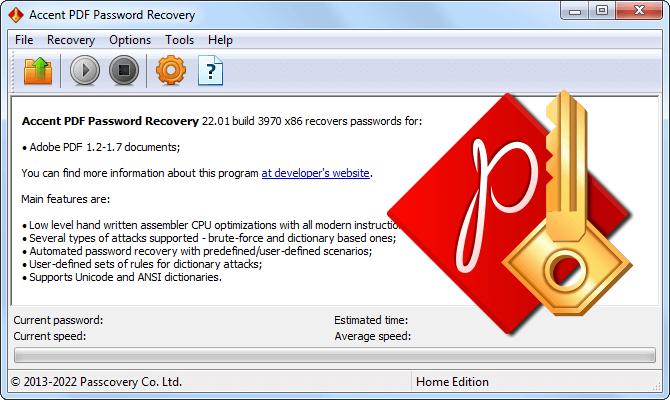
PDF Password Recovery Methods in AccentPPR
Format Support
AccentPPR works with every version of the PDF format. The version decides the encryption algorithm, and the algorithm decides how fast the brute force runs and whether a graphics card can be put to work.
How do you tell which version you have? AccentPPR detects the format version automatically when it opens the file.
Full List of Versions and Algorithms
Instant Permissions Password Removal
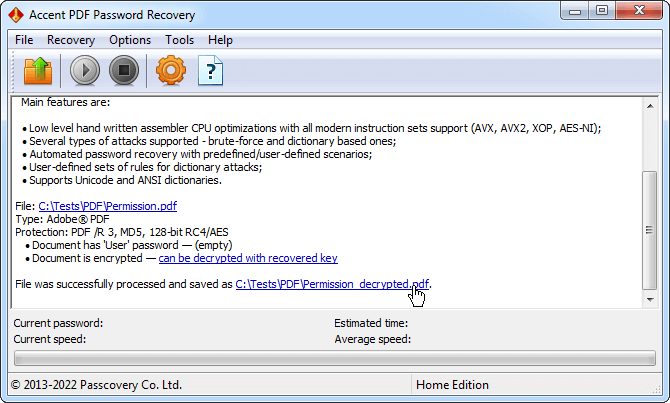
The Permissions Password (also known as the Owner Password) turns on file encryption, but the key itself stays inside the document. A PDF like that can't be printed, copied, edited, and commented on. Yet those restrictions lift instantly.
AccentPPR derives the encryption key right out of data that sits inside the document. No brute force. The program decrypts the file and saves it back without the restriction list. You end up with a regular PDF where printing, copying, editing, and commenting are available again. This works for every version of the format, from the early RC4 to the current AES-256.
That's the key difference from the Document Open Password. Without it, the encryption key can't be derived: you have to brute-force the password.
Document Open Password Recovery Speed
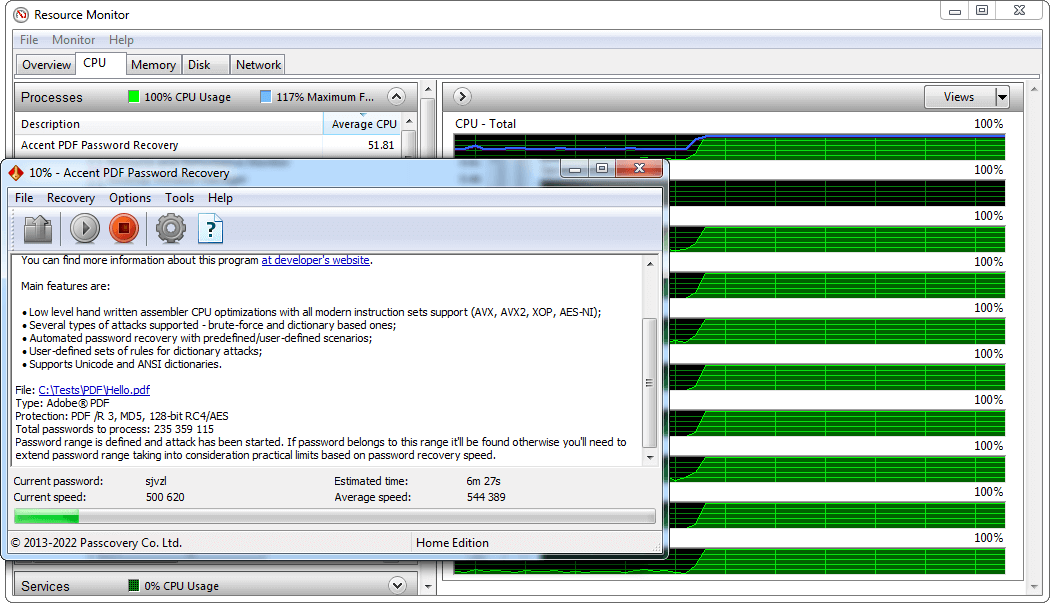
Recovering the Document Open Password comes down to brute force, and the speed depends directly on the encryption algorithm. For AES-256 (the current encryption revision /R6), that's around 28,000 passwords per second on a Ryzen 9 9950X. For earlier revisions with RC4 and AES-128, the speed is orders of magnitude higher.
Three factors determine the total recovery time: the encryption algorithm, password complexity, and raw CPU power. To wring every cycle out of the processor, the critical sections of AccentPPR code are written in assembly, a low-level language. That's where you can tap into CPU-specific instructions from Intel and AMD: SSE, AVX, and AES-NI. And all for speed.
For files saved with "Acrobat 7.0 and later" compatibility (RC4 128-bit and AES-128), the brute force can be accelerated with a graphics card. GPU acceleration is available in Passcovery Suite.
Compare speeds on different CPUs
Targeted Brute Force with a Positional Mask
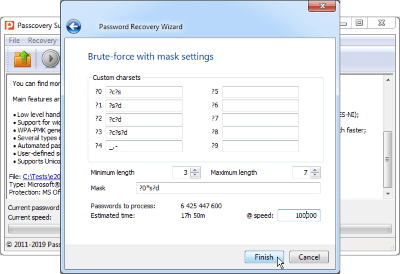
A positional mask spells out the allowed characters separately for each position in the password. AccentPPR uses that description as a filter: only the combinations that fit it get tested, and everything else is skipped. The search space shrinks by orders of magnitude.
For example, a 7-character alphanumeric password gives 3.5 trillion combinations. If you remember the structure (say, 4 lowercase letters followed by 3 digits), a positional mask cuts the search space down to 457 million candidates. What would take almost 4 years of exhaustive brute force fits into 4-5 hours. Calculation for a PDF with AES-256 /R6 on a Ryzen 9 9950X.
Dictionary Attack with Mutation Rules
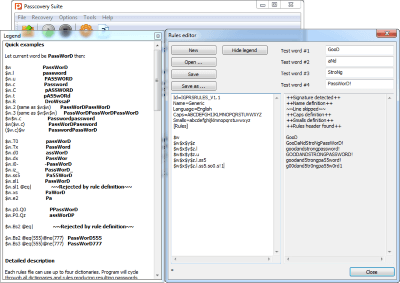
A password is often a familiar word with predictable tweaks: the case changes, a year gets tacked on, and characters get swapped (a for @ or o for 0). AccentPPR plays into that habit. The program loads up to four dictionaries at once, merges them, and applies your mutation rules to every word. You write the rules in the built-in editor. That's how a dictionary password becomes P@ssw0rd2026, and AccentPPR can spin out dozens of such variants.
The editor previews mutations as you write the rules. You see what turns into what, and how words from different dictionaries combine.
Attack Chains in a Scenario
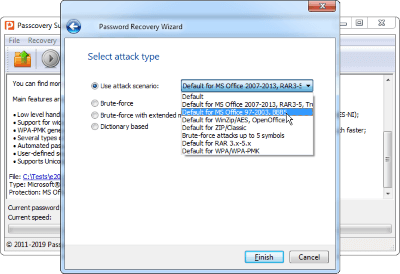
A scenario runs a chain of several attacks one after another automatically, with no manual switching between methods. A single file can describe a mask, a dictionary with mutations, and an exhaustive brute force over a narrow range. AccentPPR walks through the chain step by step and stops on the recovered password.
Reproducible Brute Force for Forensics and Security Audits
AccentPPR locks in the attack parameters before the run and tracks the brute force as it goes. That's enough to repeat the process and get the same result – the foundation of any expert report. Locked in before the run: the file's encryption algorithm, attack type, range or dictionary, mutation rules, and the calculated number of candidates. During the run you see the current speed and the time remaining.
Where it fits: digital forensics and recovering passwords from evidence, incident response and regaining access to corporate documents, and password policy audits and stress-testing the organization's protected files.
Status auto-save and command-line operation let AccentPPR slot into batch processing and automated DFIR pipelines.
All Accent PDF Password Recovery Features
Password Recovery
- Support for every PDF version, from PDF 1.1 to PDF 2.0 ()
- Instant Permissions Password removal for any version of the format
- Fast Document Open Password brute force on CPU, with optimization for Intel and AMD architectures
Search Methods
- Three attack types: exhaustive brute force, positional mask, and dictionary with mutations
- Scenarios: attack chains of any length, executed automatically
- Flexible search range setup by position, length, and character set
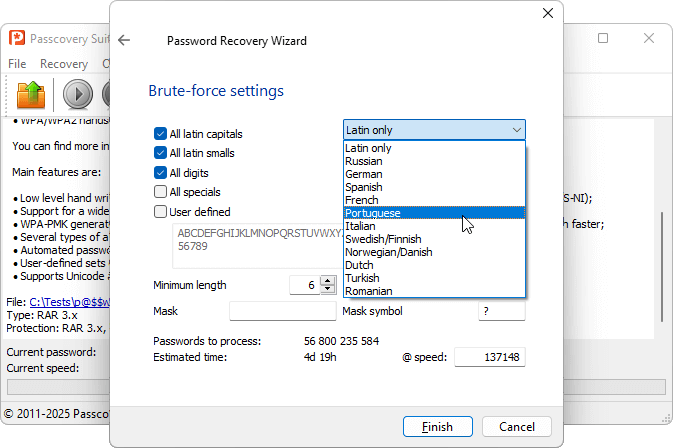
- Preset character sets for national alphabets
- Support for multilingual dictionaries in Unicode, UTF-8, and ANSI
Usability and Security
- Fully offline operation: files never leave your computer (why not an online tool?)
- Progress auto-save for resuming right where you stopped
- Windows GUI and command line for automation
- Unified interface and workflow across all Passcovery products
- Interface in eight languages
- Windows 11 / 10
AccentPPR Demo
The demo includes every feature of Accent PDF Password Recovery. Open your locked PDF, run an attack, and see for yourself that the program finds the password. The first two characters of the result are shown.
Demo Limitations
- shows only the first 2 characters of the recovered password
- search time is capped at 30 minutes per job
- no saving of job progress
To remove the limitations, purchase a license and activate the program.
Accent PDF Password Recovery Licenses
-
Home LicenseBusiness License
-
PDF document support (PDF 1.1 – 2.0, /R2 – /R6)
-
Free updates during 1 year
-
Free customer support service
-
Internal corporate use
-
Single PC License
All payment transactions are secure and handled with strict confidence. Payment can be made using various online and offline methods. The full list depends on the region and is available on the order page.
Frequently Asked Questions
Is AccentPPR a PDF Password Cracker?
Yes, technically. Recovering a forgotten password and cracking it are the same operation under the hood. The difference is what you start it for. AccentPPR is built for files you have the right to access: your own documents or authorized work. That responsibility is on the user.
Can AccentPPR Unlock a PDF Without the Password?
It depends on what you mean by "unlock". Removing the Permissions Password is instant: that is the one that blocks printing, copying, editing, and commenting, and AccentPPR strips it without any guessing. Opening a file with a forgotten Document Open Password is a different story. The password has to be recovered by attack, and the time depends on how strong it is.
How Do I Remove the Owner Password from a PDF?
Open the file in AccentPPR. The program detects the Permissions Password automatically and removes it in under a second. Save the unrestricted copy and you are done: printing, copying, editing, and commenting are back. The same method works for every PDF version, from early RC4 to modern AES-256.
I Forgot My Own PDF Password. What Should I Do?
Open the file in AccentPPR and pick the attack that matches what you remember. Remember the length and structure? Set up a positional mask. Remember it was a real word with the usual tweaks, something like a → @ or a year tacked on the end? Use a dictionary attack with mutation rules. The program shows the time estimate before it runs, so you know what you are signing up for.
Is There a Free Version of AccentPPR?
Yes. The free demo includes every feature of the full version and runs at the exact same speed. No throttling, no slowdowns: what you measure in the demo is what you get after you buy. Two limits to know about: it shows only the first 2 characters of the recovered password, and any single recovery job is capped at 30 minutes.
Does AccentPPR Work Online?
No, AccentPPR is a Windows desktop application, and your files stay on your machine: nothing gets uploaded to a third-party server. For one-off non-sensitive PDFs locked only with a Permissions Password, an online unlocker may well be faster. But recovering a forgotten Document Open Password is unlikely to work in a browser. That job comes down to your CPU and the hours it takes to run. For the full picture of when each makes sense, see the AccentPPR vs online services comparison.
What's the Difference Between an Owner Password and a User Password?
The Owner Password decides what you can do with an open file: print, copy, edit, comment. The User Password decides whether you can open the file at all. These are two different protection layers with very different cryptographic strength, and AccentPPR handles them differently: the first one comes off instantly, the second one has to be recovered by attack.
How Long Does PDF Password Recovery Take?
Anywhere from a few seconds to hundreds of years. It depends on the file's encryption, the password's length, and your CPU's horsepower. For a reference point: a 6-character mixed-case alphanumeric password on modern AES-256 takes about 24 days of exhaustive brute force on a Ryzen 9 9950X. A positional mask or a dictionary attack can cut that down to hours. AccentPPR shows the precise estimate before any attack runs, and the call is always yours.