
Can't Remove Office File Protection or Forgot Your Password?
Accent OFFICE Password Recovery unlocks and recovers passwords for all versions of Microsoft Office and OpenOffice/LibreOffice
Instantly: Password to Modify, Sheet Protection, Workbook Protection, VBA Project.
CPU Brute Force: Password to Open for Office 6–2003, or encryption key search for guaranteed decryption.
GPU-Accelerated (NVIDIA, AMD, Intel Arc): Password to Open for Office 2007–2024/365 and OpenOffice/LibreOffice.
Formats: doc · docx · xls · xlsx · ppt · pptx · mdb · odt · ods
- Free Download for Windows Full-speed free demo · Files never leave your computer
- Buy License
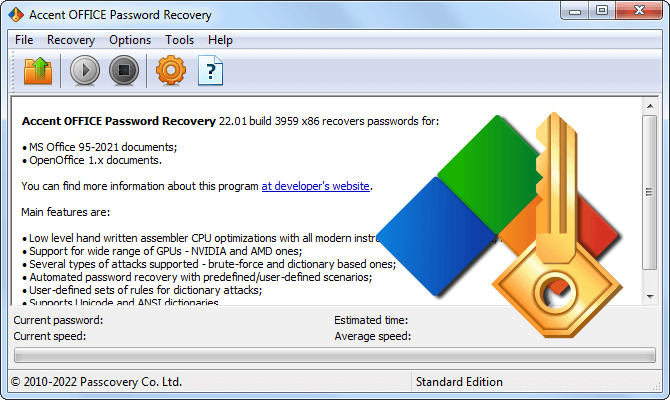
Office Password Recovery and Protection Removal with AccentOPR
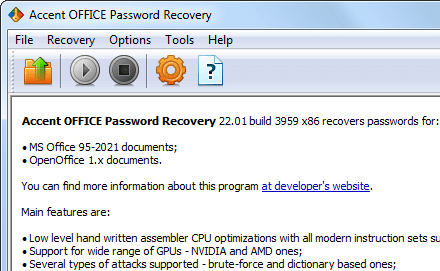
Supported Formats
AccentOPR works with any Microsoft Office, OpenOffice, or LibreOffice file. The version, protection type, and recovery method are identified automatically when you open the file.
- Microsoft Word 2–2024/365 (doc, docx, dot, dotx)
- Microsoft Excel 2–2024/365 (xls, xlsx, xlsm, xlsb, xlt, xltx)
- Microsoft PowerPoint XP–2024/365 (ppt, pptx, pps, ppsx)
- Microsoft Access 6–2010 (mdb, accdb)
- OpenOffice 1.1–4.x (odt, ods, odp)
- LibreOffice 3.3–26.x (odt, ods, odp)
Accent OFFICE Password Recovery: Versions, Encryption, and Recovery Methods
Passwords AccentOPR Removes Instantly
Five types of passwords in Microsoft Office 6–2024/365 and Access 6–2003 do not encrypt the file contents. AccentOPR strips them in a fraction of a second regardless of password length or complexity, giving you full access to your data with no cracking and no waiting:
- Password to Open, Microsoft Office 6–95
- Password to Modify, Microsoft Office 6–2024/365
- Sheet and Workbook protection, Microsoft Excel 6–2024/365
- VBA project password, Microsoft Office 6–2024/365
- Database password, Microsoft Access 6–2003
Open your file in Accent OFFICE Password Recovery. If the password is on this list, the program restores access in a fraction of a second. Cracking is only needed for the Password to Open in Office 97 and later, where the file is truly encrypted.
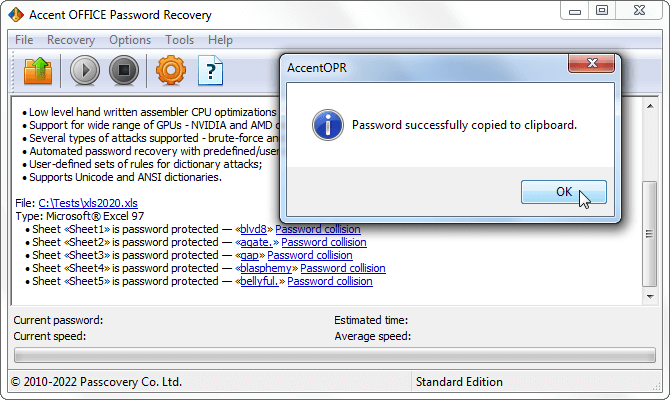
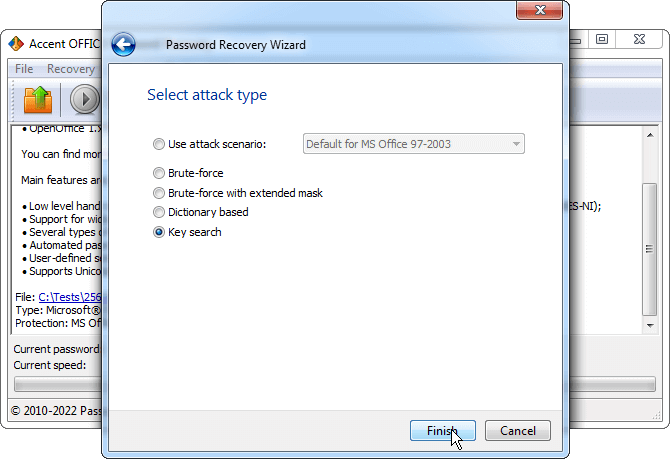
Decrypt .doc and .xls 97-2003 Without Cracking the Password
For Microsoft Word and Excel 97-2003 files with 40-bit encryption, AccentOPR cracks the encryption key directly instead of the password. On a modern GPU, this guarantees access to your data in a few minutes to a few hours, no matter what password locks the file. The password itself stays unknown – the program returns the decrypted document, without credentials.
The full keyspace of a 40-bit RC4 key is 1.1 trillion values. One of them decrypts the file, and AccentOPR is guaranteed to find it. Password cracking works differently: the search space grows exponentially with length, and an 8-character random password takes weeks to crack.
For Office 2007 and later, the encryption keyspace is too large for direct brute force, so this method applies only to Office 97-2003.
CPU Brute-Force: Optimized for Intel and AMD Architectures
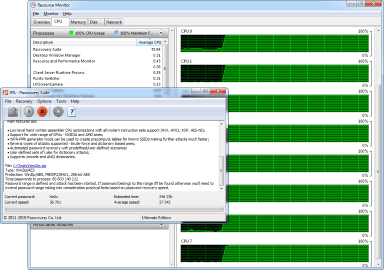
AccentOPR delivers high CPU cracking speeds for Microsoft Office passwords. Critical code paths are hand-tuned in assembly for specific Intel and AMD architectures, and the workload runs in parallel across every physical core of your CPU.
Real-world speeds on a Ryzen 9 9950X:
- Office 97–2003 (RC4 / 40-bit), ~95M passwords/sec
- Office 2007–2010 (AES-128 / 50,000 PBKDF2 iterations), ~17,600 passwords/sec
- Office 2013–2024/365 (AES-256 / 100,000 PBKDF2 iterations), ~1,800 passwords/sec
Cracking speed for Office passwords drops with every new generation – this is by design of the algorithms. Microsoft has been strengthening the encryption and raising the PBKDF2 iteration count (key stretching): verifying a single password now runs through tens of thousands of hashes. This is what makes the protection stronger and brute force slower.
Accent OFFICE Password Recovery delivers the maximum speed your CPU can reach within the algorithm itself. For AES-128 and AES-256, plugging a GPU into the search is the recommended next step.
GPU Acceleration for Modern Office Formats: NVIDIA, AMD, Intel Arc
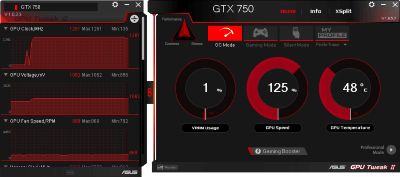
AccentOPR taps the GPU and speeds up Password to Open recovery by orders of magnitude compared to CPU alone. This applies to Microsoft Office 2007-2024/365, OpenOffice, and LibreOffice, where strong AES encryption is in play. The more powerful the GPU, the faster the search.
Cracking the Password to Open in Office 2013-2024/365 on an NVIDIA RTX 5070 Ti: ~35,000 passwords/sec. That's 19× faster than a Ryzen 9 9950X.
GPU wins over CPU through sheer parallelism. A graphics card has thousands of compute units, each checking its own password candidate. A CPU does the same work, but with single-digit cores instead of thousands.
Accent OFFICE Password Recovery supports all major GPU families:
- NVIDIA – GeForce GTX 750 through RTX 50, including professional Tesla (Maxwell, Pascal, Turing, Ampere, Ada Lovelace, Blackwell)
- AMD – Radeon HD 7000 through RX 9000 and Vega, including professional FirePro (GCN and RDNA architectures, including RDNA 4)
- Intel – Arc A310–A770 and Arc Battlemage (Xe and Xe2 architectures)
GPU acceleration does not apply to Office 97-2003: RC4 encryption is structured differently and gains nothing from parallel processing. For these files, AccentOPR cracks the password quickly on CPU or decrypts the document directly via encryption key search.
Narrowing the Search: Mask Attack and Dictionary Attack
A full brute-force run on a long Password to Open can take anywhere from hours to years depending on the encryption algorithm. AccentOPR cuts that time with two methods: positional mask and dictionary attack. Both eliminate dead-end candidates and shrink the search to a realistic range.
Which method to pick:
- You remember the password structure (beginning, ending, length) → positional mask
- The password was a word or phrase → dictionary attack with mutations
- You remember nothing → use a ready-made attack scenario
Positional mask assigns its own character set to every position in the password. If you recall that yours started with a capital letter and ended in digits, the mask will eliminate billions of useless combinations. More on positional masks
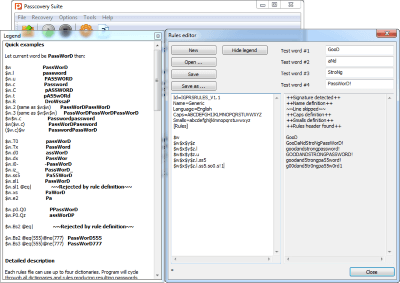
Dictionary attack checks passwords from prepared wordlists. AccentOPR merges up to four dictionaries and applies mutation rules: case flipping, digit appending, leet substitutions. A single base word spawns hundreds of variants. More on dictionary mutations
Attack scenario chains multiple attack types into a sequence. AccentOPR runs each one with its own settings until it finds the password or exhausts the scenario. For example: dictionary with mutations first, then a mask-based run, then a short-password brute force. Scenarios are defined in a plain text file.
Accent OFFICE Password Recovery at a Glance
| Password Recovery and Removal | |
| Formats | Microsoft Office 6–2024/365, OpenOffice 1.1–4.x, LibreOffice 3.3–25.x |
| Instant removal | Password to Modify, Sheet protection, Workbook protection, VBA project (Office 6–2024/365). Database password (Access 6–2003) |
| Encryption key search | Guaranteed decryption of .doc/.xls (Office 97–2003) by brute-forcing the 40-bit RC4 key |
| Password to Open cracking | Office 97–2024/365, OpenOffice, LibreOffice. Assembly-level CPU optimization for Intel and AMD |
| GPU acceleration | NVIDIA (through Blackwell), AMD (through RDNA 4), Intel Arc (Xe, Xe2). For AES-encrypted Office 2007+ and ODF files |
| Attack Methods | |
| Attack types | Brute force, positional mask, dictionary attack |
| Positional mask | Custom character set for every position in the password |
| Dictionaries | Up to 4 wordlists at once, mutations (case flipping, digits, leet substitutions), UTF-8, Unicode, ANSI support |
| Attack scenarios | Sequential chain of attacks with individual settings, defined in a plain text file |
| Usability and Platform | |
| Interface | Windows GUI + command line (CLI) |
| Auto-save | Search progress is saved, resume from where you stopped |
| Languages | 8 interface languages |
| Platform | Windows 10/11 x64 |
| Compatibility | Unified interface across all Passcovery products |
AccentOPR Free Demo
Download Accent OFFICE Password Recovery and test it on your own file. The demo runs at full speed, supports every format, every attack type, and GPU acceleration.
Demo Limitations
- shows only the first 2 characters of the recovered password
- search time is capped at 30 minutes per task
- does not save search progress between sessions
- uses only one GPU device
All limitations are lifted once you purchase and activate a license.
Accent OFFICE Password Recovery Licenses
-
BasicStandardProfessionalUltimate
-
Supporting Microsoft Office & OpenOffice/LibreOffice formats
-
Free updates during 1 year
-
Free customer support service
-
Internal corporate use
-
Supporting one GPU
-
Supporting two GPUs
-
Supporting all GPUs in the system
-
License for one PC
Payment via PayProGlobal secure checkout. Visa, Mastercard, PayPal, wire transfer, and other methods depending on your region.
Frequently Asked Questions
How long does Office password recovery take?
Password to Open for Office 2–95, modify password, sheet and workbook protection, and VBA project password are removed in a fraction of a second, no matter how long or complex the password is.
Password to Open for Office 97 and later requires cracking. For Office 97–2003 (RC4, 40-bit), AccentOPR hits 95M passwords/sec on CPU, and short passwords are found in minutes. For Office 2007+ (AES-128/AES-256), speed drops to 1,800 p/s on CPU and up to 35,000 p/s with GPU. A 6-character password takes days. A random 10-character password can take months.
Is it legal to recover Office file passwords?
Recovering passwords on your own files, files you have the owner's permission to access, or company documents as part of your job duties is legal. Attempting to access someone else's data without authorization may violate the laws of your country. AccentOPR is a tool, and the responsibility for how it is used rests with the user.
Does the file leave my computer?
No. AccentOPR runs locally on your machine. Your files, passwords, and any other data never leave the computer. All cracking runs on your own CPU and GPU.
When will AccentOPR NOT recover my password?
AccentOPR cannot guarantee results for long random passwords of 10–12+ characters on Office 2007 and later files: cracking will take months or years even with a powerful GPU. The software runs on Windows only. If you lost the password to your Microsoft 365 account (not a file), that is a different problem and AccentOPR cannot help.
Which Passcovery product do I need?
Depends on the file format.
- Excel only: AccentEPR
- Word only: AccentWPR
- Word, Excel, PowerPoint, Access, OpenOffice, and LibreOffice: AccentOPR (this product)
- All of the above plus PDF, RAR, ZIP, and TrueCrypt: Passcovery Suite